How to Add a WhatsApp Popup to Any Website
Learn how to add a WhatsApp popup to your website in minutes — AI reads your site, finds your WhatsApp number automatically, and generates a branded popup. No code, no designers.
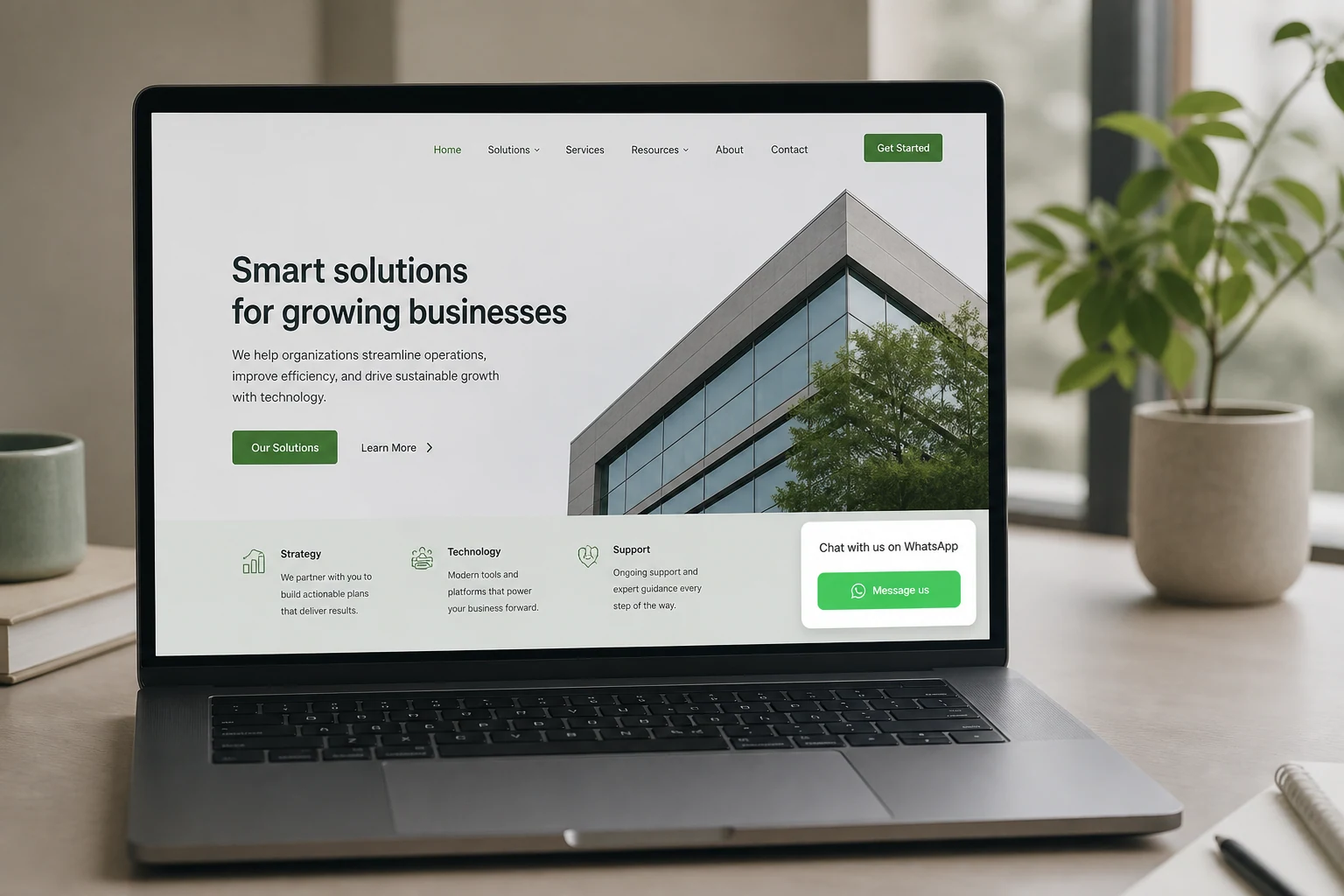
Why WhatsApp is the highest-converting contact channel on the web
Most contact forms get ignored. Phone numbers get avoided. But WhatsApp is where people actually respond — and fast. WhatsApp messages have an open rate above 90%, compared to around 20% for email. More importantly, WhatsApp conversations feel personal. A visitor who messages you on WhatsApp is already engaged — they chose to start a conversation.
For service businesses, restaurants, real estate agencies, clinics, and any business where a direct conversation leads to a sale, WhatsApp is not just a nice-to-have. It is the most direct path from website visitor to paying customer.
The problem is that most websites bury their WhatsApp number in the footer — or do not show it at all. A popup changes that. It puts your WhatsApp contact front and center, at the right moment, without interrupting the visitor's experience.
How Leadfication creates a WhatsApp popup from your website
Most popup tools require you to design the popup from scratch — choose colors, write copy, upload images, enter your contact details. Leadfication works differently. It reads your website first.
When you paste your URL, the AI scans your site and does three things automatically:
Reads your brand — colors, fonts, and visual style extracted directly from your site
Reads your content — understands what your business does and generates copy tailored to it
Finds your WhatsApp number — if your WhatsApp number is already on your website, the AI detects it automatically. You do not need to type it again.
The result is a popup that looks like it was designed specifically for your business — because it was.
Step by step: creating a WhatsApp popup in under 2 minutes
Paste your website URL — the AI scans your site in seconds, reads your colors, fonts, content, and existing contact details including your WhatsApp number
Select "Get contacted instantly" as your goal — the AI focuses on generating direct contact rather than email capture or sales
Choose WhatsApp as your contact channel — if your number was found on your site, it is already filled in. If not, you enter it once.
Review the AI-generated popup — brand-matched design, copy written for your business, WhatsApp button ready to go
Install with one line of code — paste it in your site header once. All your popups go live automatically from that point forward.
What a WhatsApp popup looks like
A Leadfication WhatsApp popup is a small, non-intrusive card that appears on your website. It matches your brand colors and fonts, includes a short message relevant to your business, and has a clear button that opens a WhatsApp conversation when clicked.
On mobile, it opens the WhatsApp app directly. On desktop, it opens WhatsApp Web. No forms, no email addresses, no waiting for a reply to an inbox nobody checks.
Who should add a WhatsApp popup to their website
WhatsApp popups work for any business where a direct conversation drives the sale. These are the use cases where they perform best:
Service businesses — lawyers, accountants, consultants, coaches. A visitor on your site is already interested. Make it effortless for them to reach you.
Restaurants — take reservations and answer questions directly on WhatsApp without a booking system.
Real estate agencies — let buyers and renters ask questions instantly instead of filling out a contact form that might not get answered for days.
Health and wellness — clinics, therapists, nutritionists. Appointment bookings via WhatsApp are faster and more personal than email.
Ecommerce stores — answer pre-purchase questions in real time, reduce abandoned carts, and build customer relationships that go beyond the transaction.
WhatsApp popup vs. live chat widget: what is the difference
Live chat widgets require someone to be available and respond in real time. If no one is online, the visitor sees an "offline" message and leaves. WhatsApp is asynchronous — the visitor sends a message and gets a response when you are available. The conversation does not end when you close your browser.
For small businesses and solo operators, this is a significant advantage. You respond when you can, from your phone, using an app you already use every day. No extra software, no new inbox to manage.
Best practices for WhatsApp popups that convert
Use exit intent timing — show the popup when the visitor is about to leave, not the moment they arrive. This catches people who are interested but not yet ready to commit.
Show it on the right pages — service pages and pricing pages convert better than the homepage for WhatsApp popups.
Keep the copy specific — "Chat with us about your project" works better than "Get in touch". The more specific the message, the higher the click rate.
Use a pre-filled message — when the visitor clicks, open WhatsApp with a message already written, like "Hi, I found you on your website and I'd like to know more." It removes the blank-page friction of starting a conversation.
Works on any website — no code required
Leadfication works with Shopify, WordPress, Wix, Webflow, Squarespace, and any custom-built website. One line of code in your site header is all it takes. Once installed, every popup you create goes live automatically — no redeployment, no developer needed.
Try it free on your website
Leadfication has a 14-day free trial — no credit card required. Paste your website URL, let the AI find your WhatsApp number and generate your first popup, and publish it in under 2 minutes.